The best PDF converter for most people comes down to a handful of practical requirements: it needs to support the output formats you actually use, handle large batches without slowing down, keep documents private by running offline, and avoid a recurring subscription for something you use occasionally. A tool that checks every one of those boxes saves far more time than a browser-based converter that caps file sizes or watermarks output.
Batchify PDF Converter was built around exactly that checklist. It is a Windows desktop application that renders every PDF page locally using the PyMuPDF engine, with no Poppler or Ghostscript install required, and no document content ever leaves your computer during conversion.
Batchify PDF Converter runs on Windows 10 and Windows 11, both 64-bit, and installs as a single self-contained application with no separate Poppler or Ghostscript dependency to configure. That keeps setup to a couple of minutes, whether the app is going on a personal laptop or a shared office PC handling document conversion for a whole team.
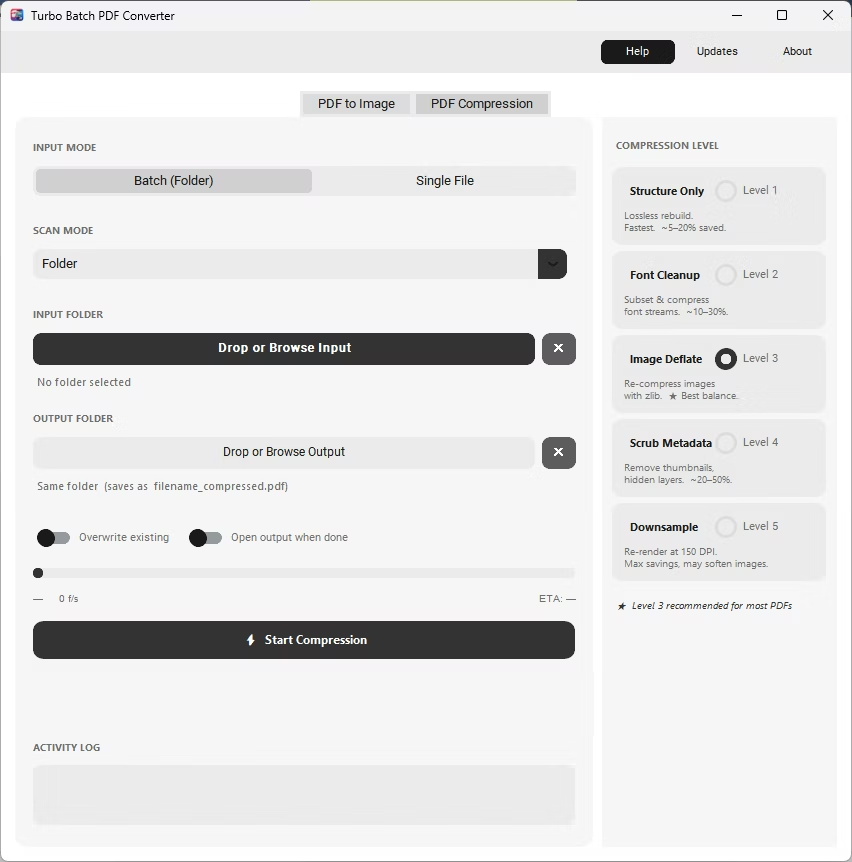
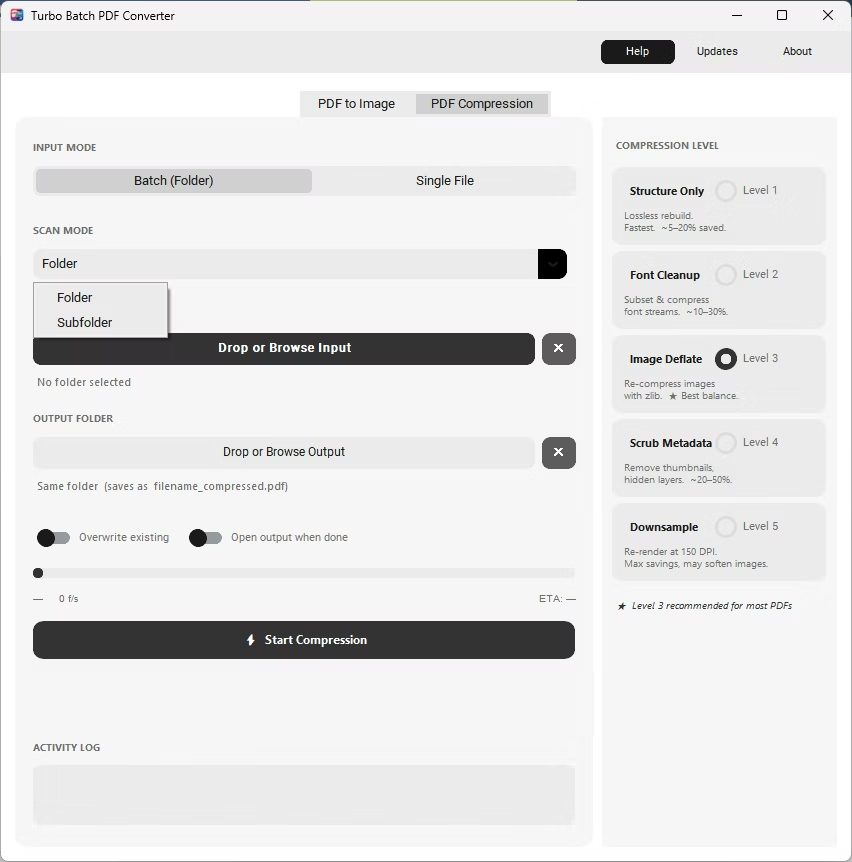
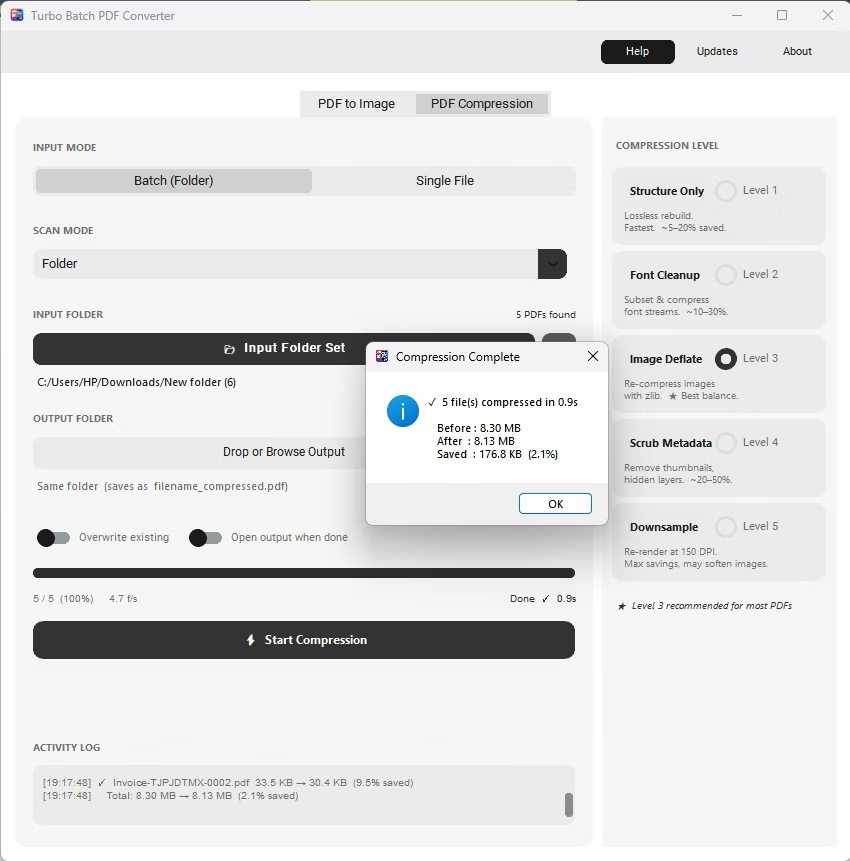
The same app also includes a built-in PDF compressor with five compression levels, so shrinking file sizes for email or storage doesn't require switching to a separate tool. Everything runs locally through a one-time Gumroad license, without a recurring subscription, and pairs naturally with other BatchifyApp utilities such as Batchify Renaming Tool for organizing converted files afterward.
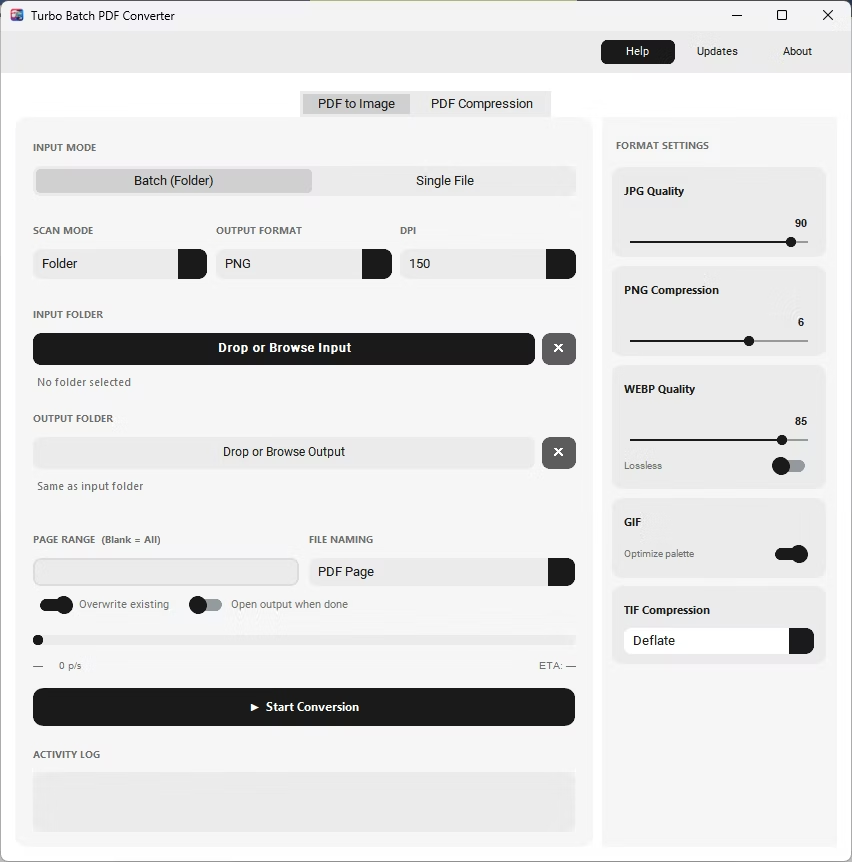
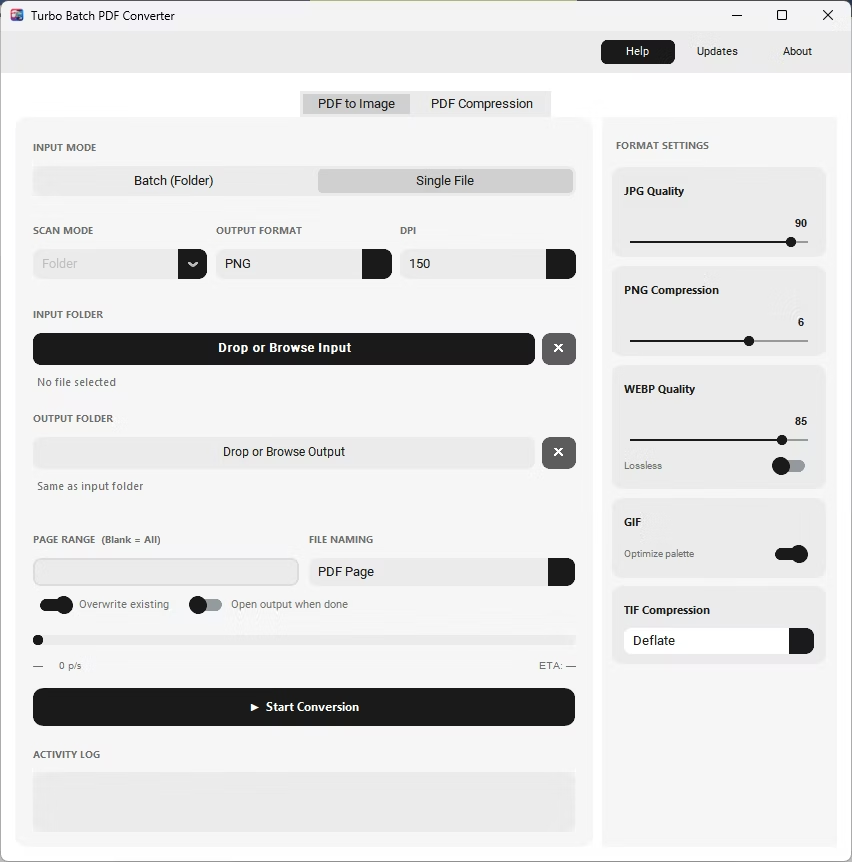
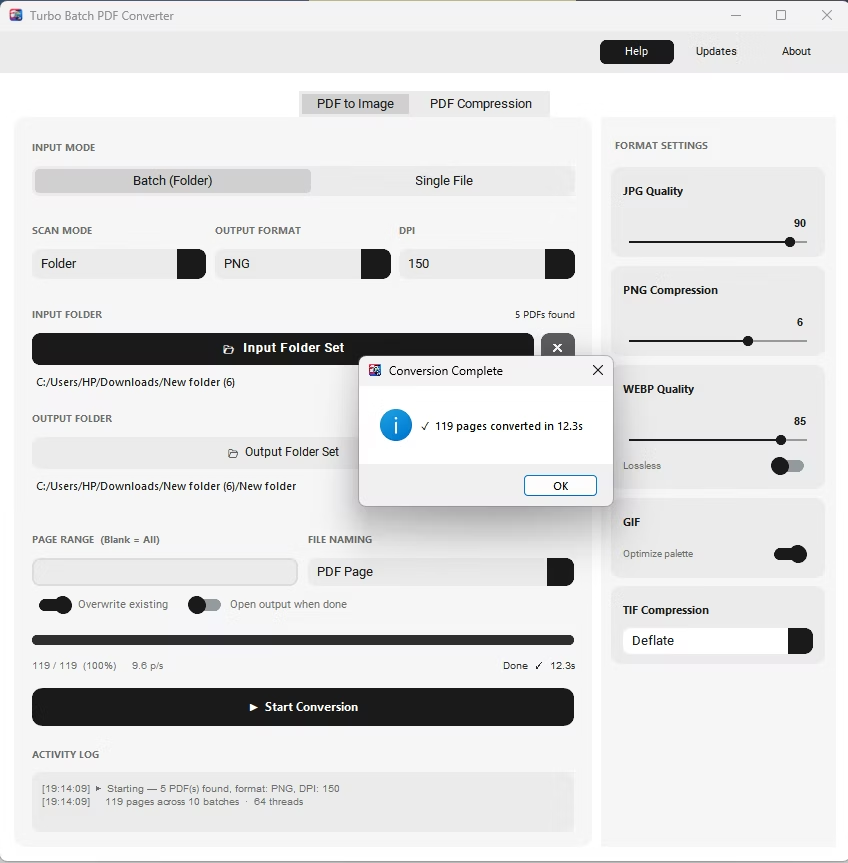
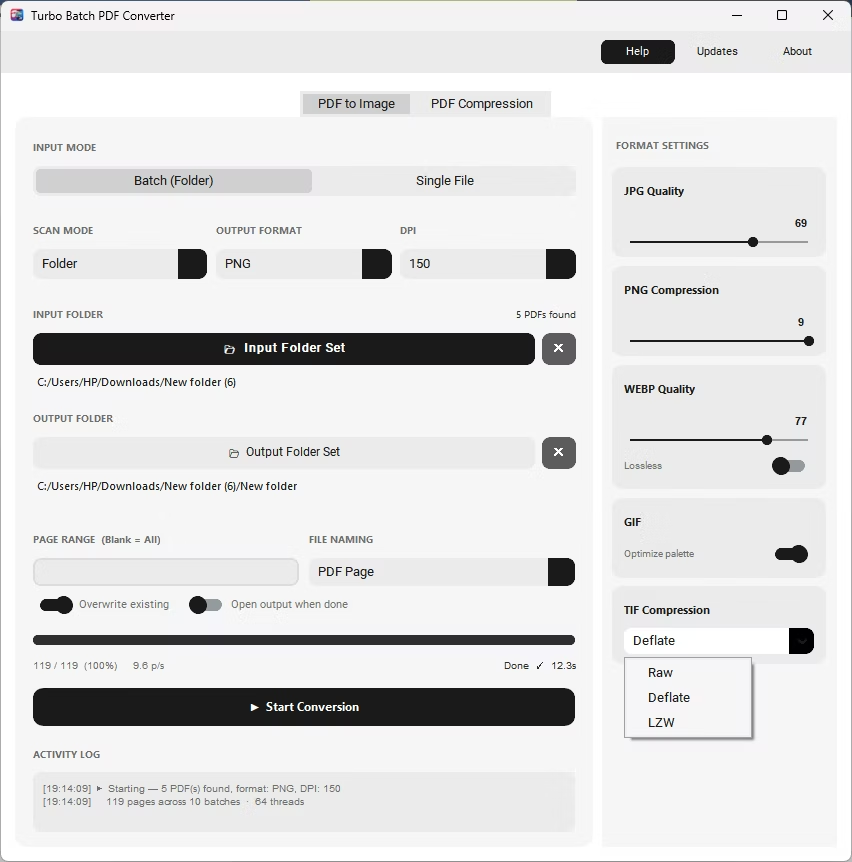
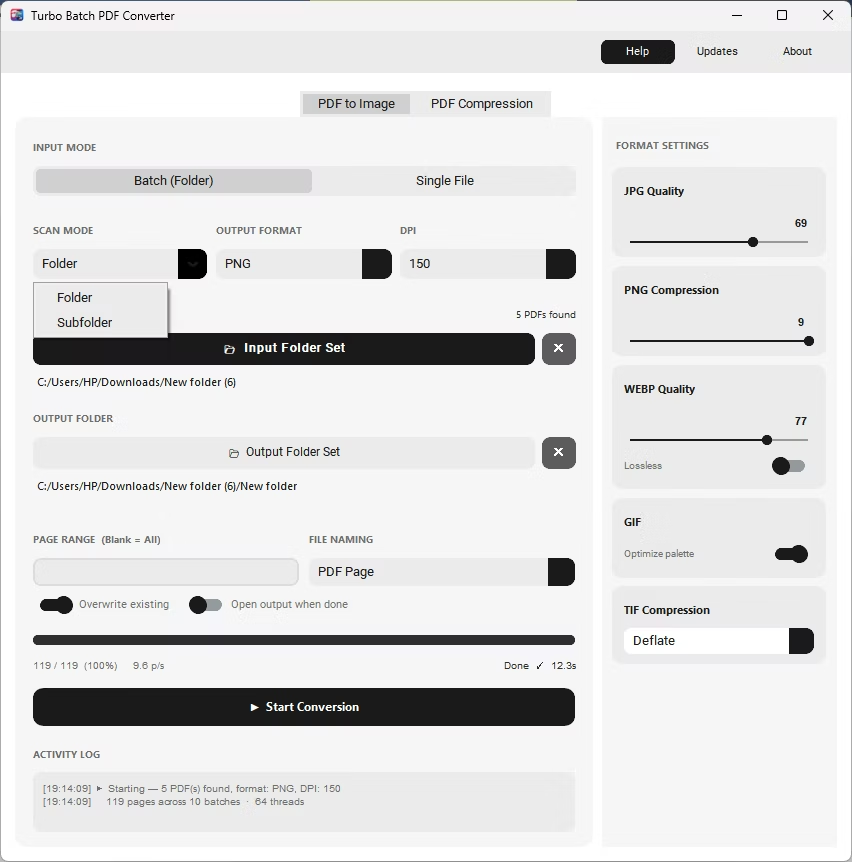
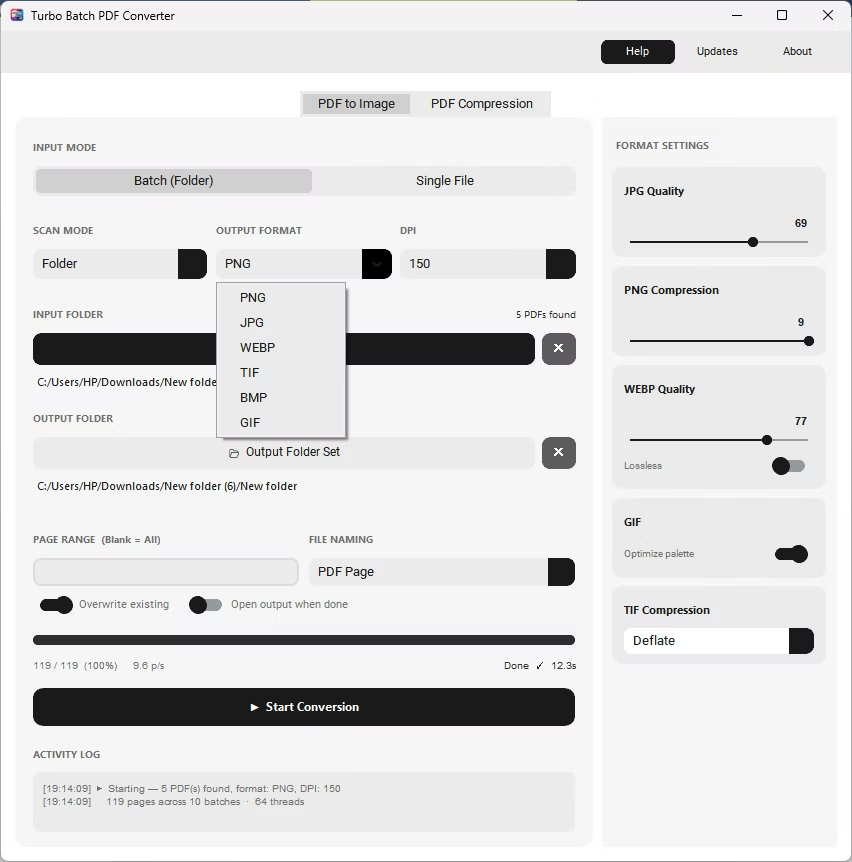
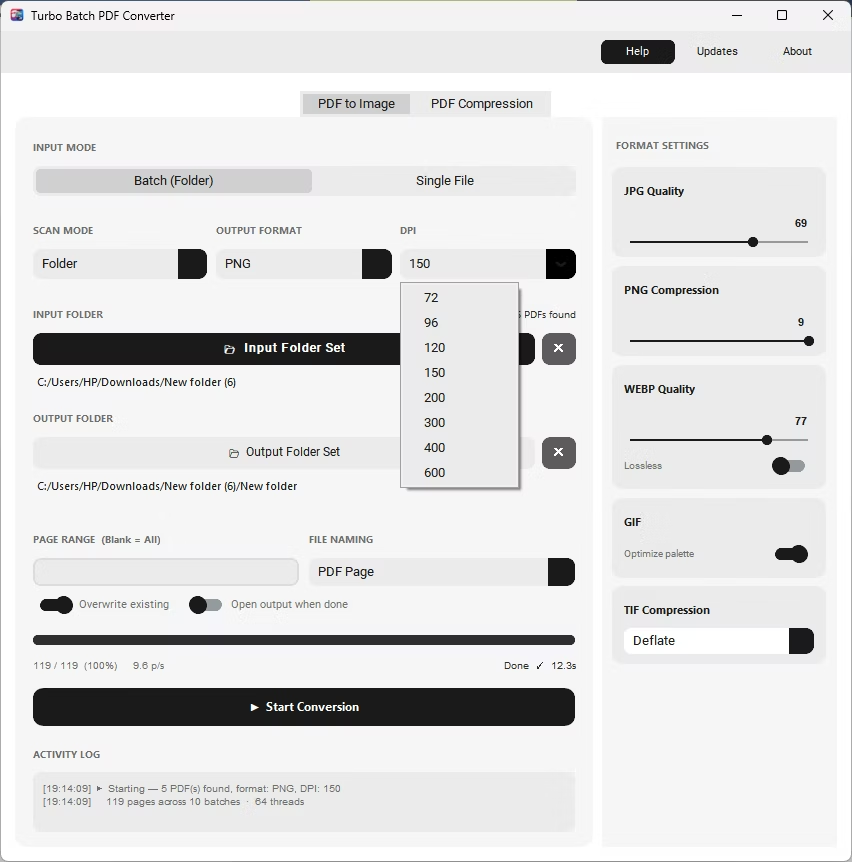
Six output formats in one app — JPG, PNG, WEBP, TIFF, BMP, and GIF — instead of juggling separate tools for each format.
A built-in PDF compressor with five compression levels, so file-size reduction doesn't require a separate application.
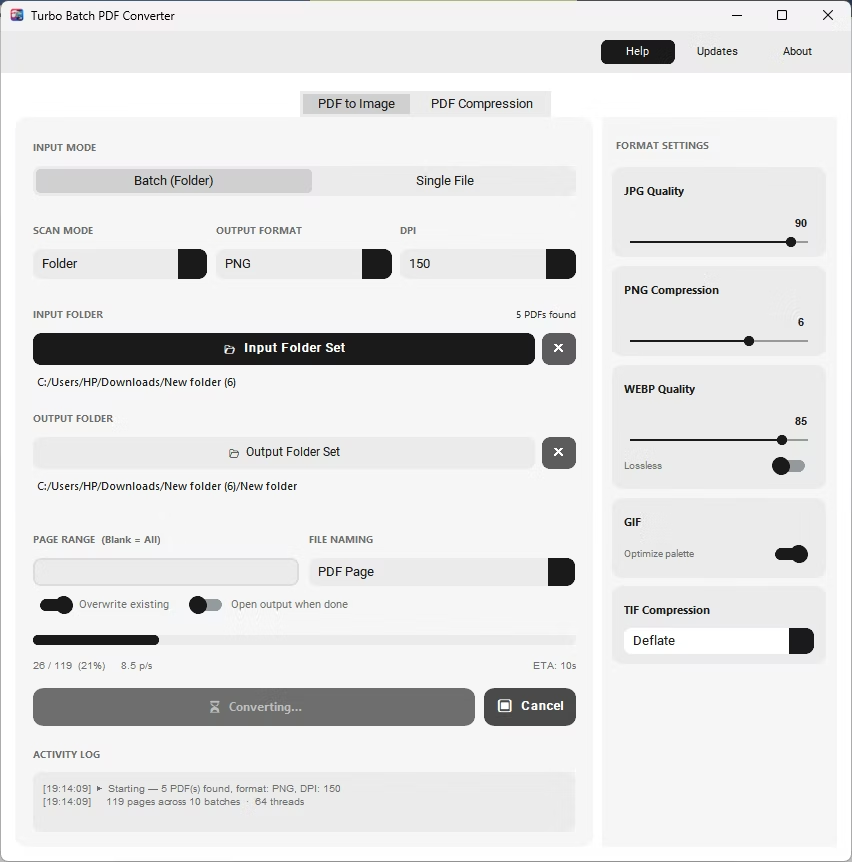
Up to 64 parallel workers process thousands of PDF pages quickly, with live speed and ETA tracking during the batch.
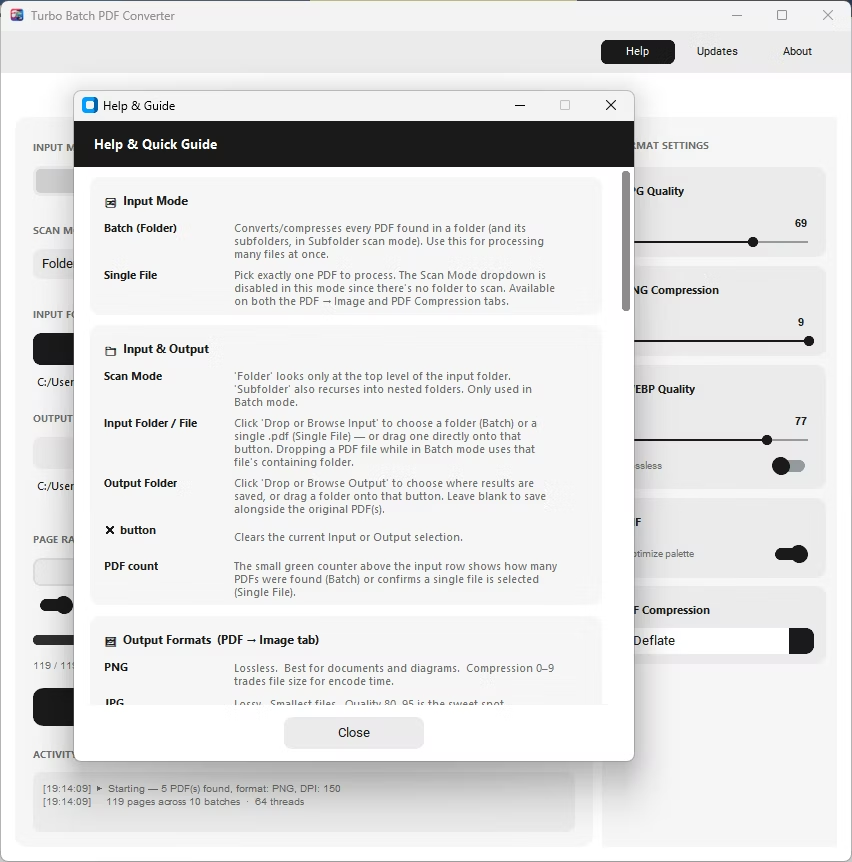
Batch (Folder) and Single File modes, plus recursive Subfolder scanning, cover both everyday use and large document archives.
100% offline processing means confidential paperwork never touches a third-party server, unlike most free online converters.
- No page-count or file-size upload limits, unlike browser-based tools
- Adjustable DPI from 72 to 600 for screen preview or print-ready output
- Page range selection to convert only the pages you need
- Overwrite protection and a detailed activity log for every batch
- One-time Gumroad license instead of a monthly subscription
- Free trial demo available before purchase
Is Batchify PDF Converter really free to try?
Yes, a free trial demo is available so you can test batch conversion, DPI settings, and PDF compression before buying a license.
Does it require an internet connection to convert PDFs?
No, conversion runs entirely offline. An internet connection is only used once, for license activation.
How does it compare to online PDF converters?
Online converters typically cap file size, add watermarks, or require an upload, while Batchify PDF Converter processes everything locally with no such limits.
Ready to convert your PDFs offline, in bulk, with full privacy?