Million by Million Rows Copier
for Windows
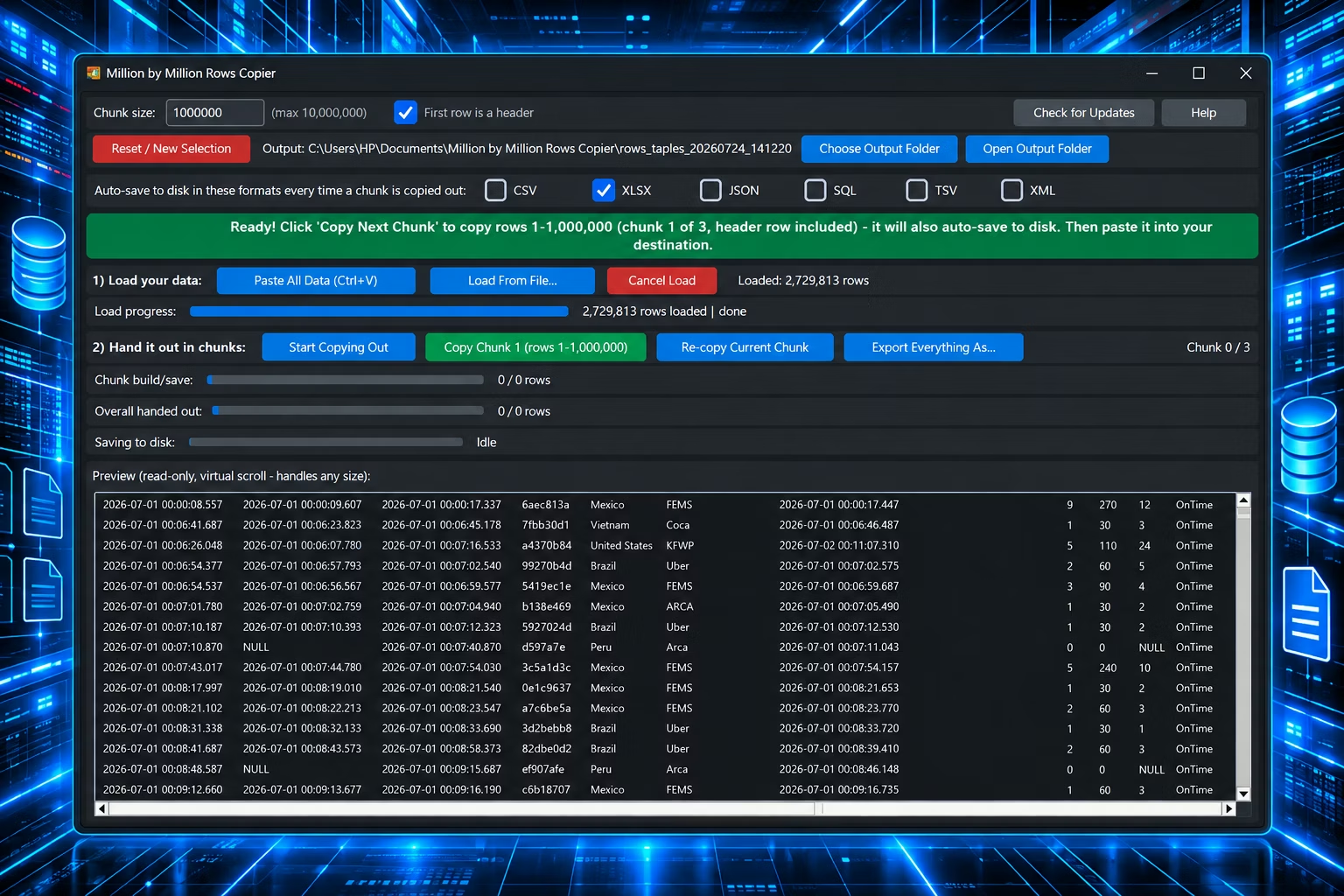
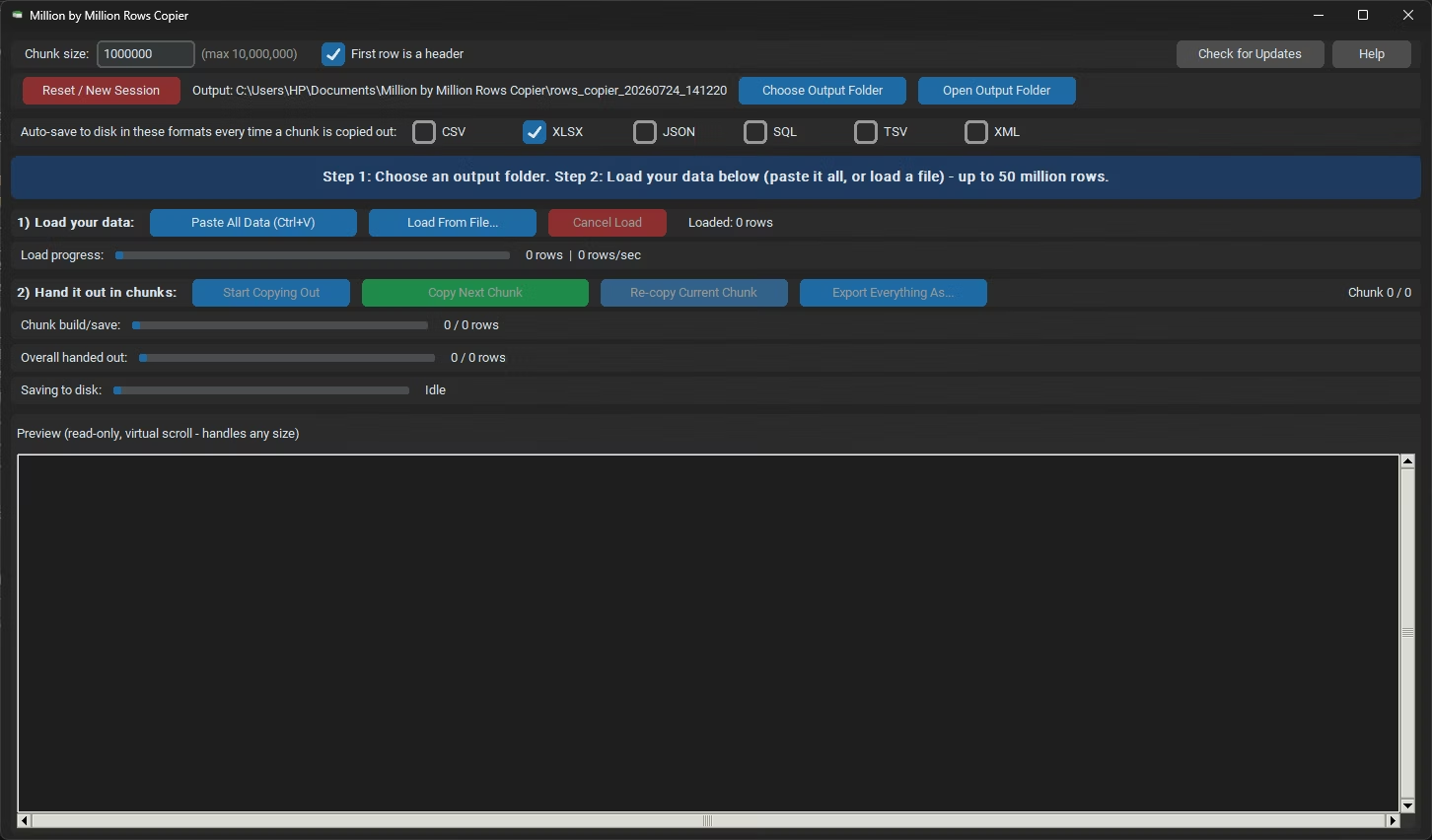
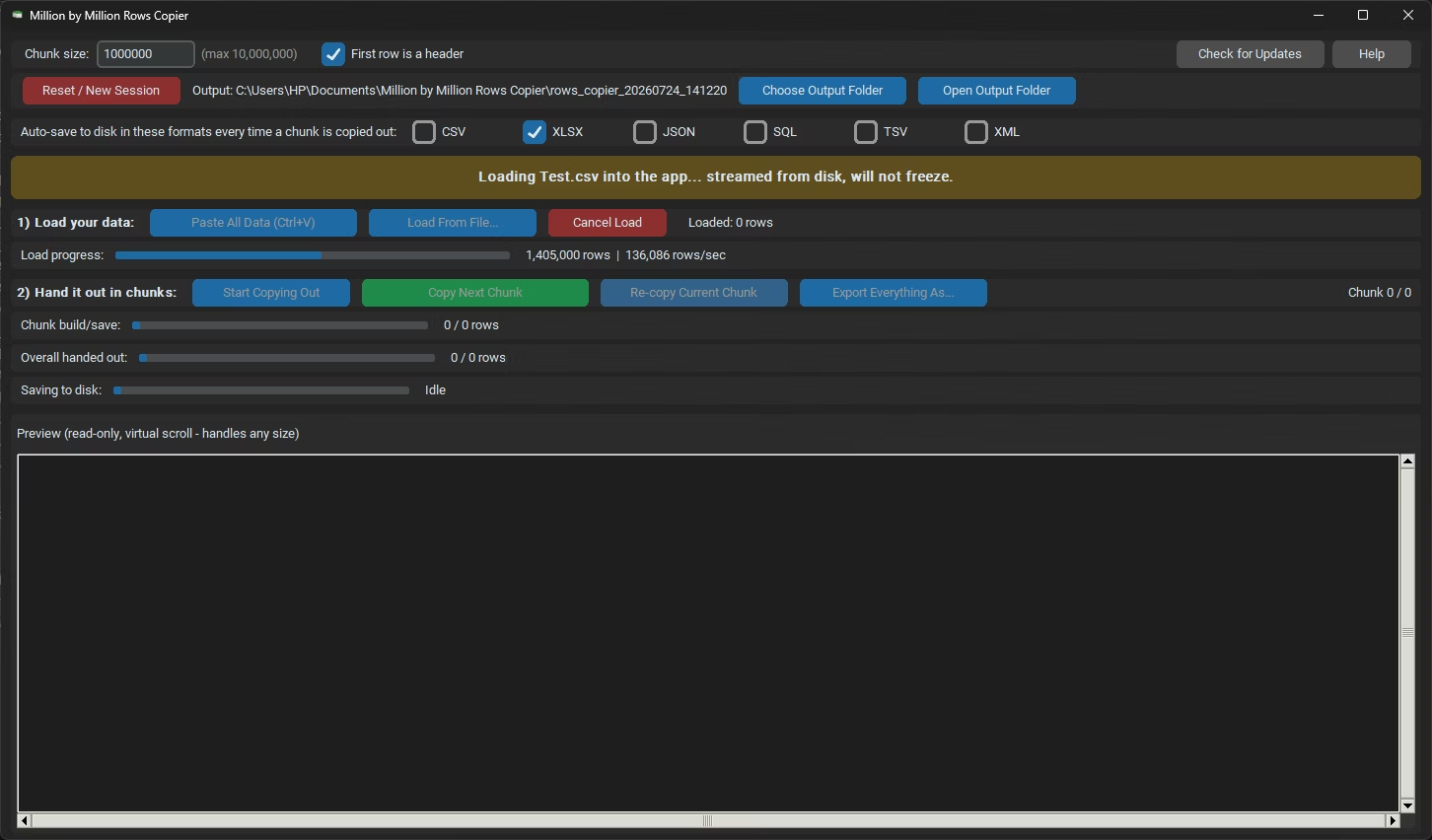
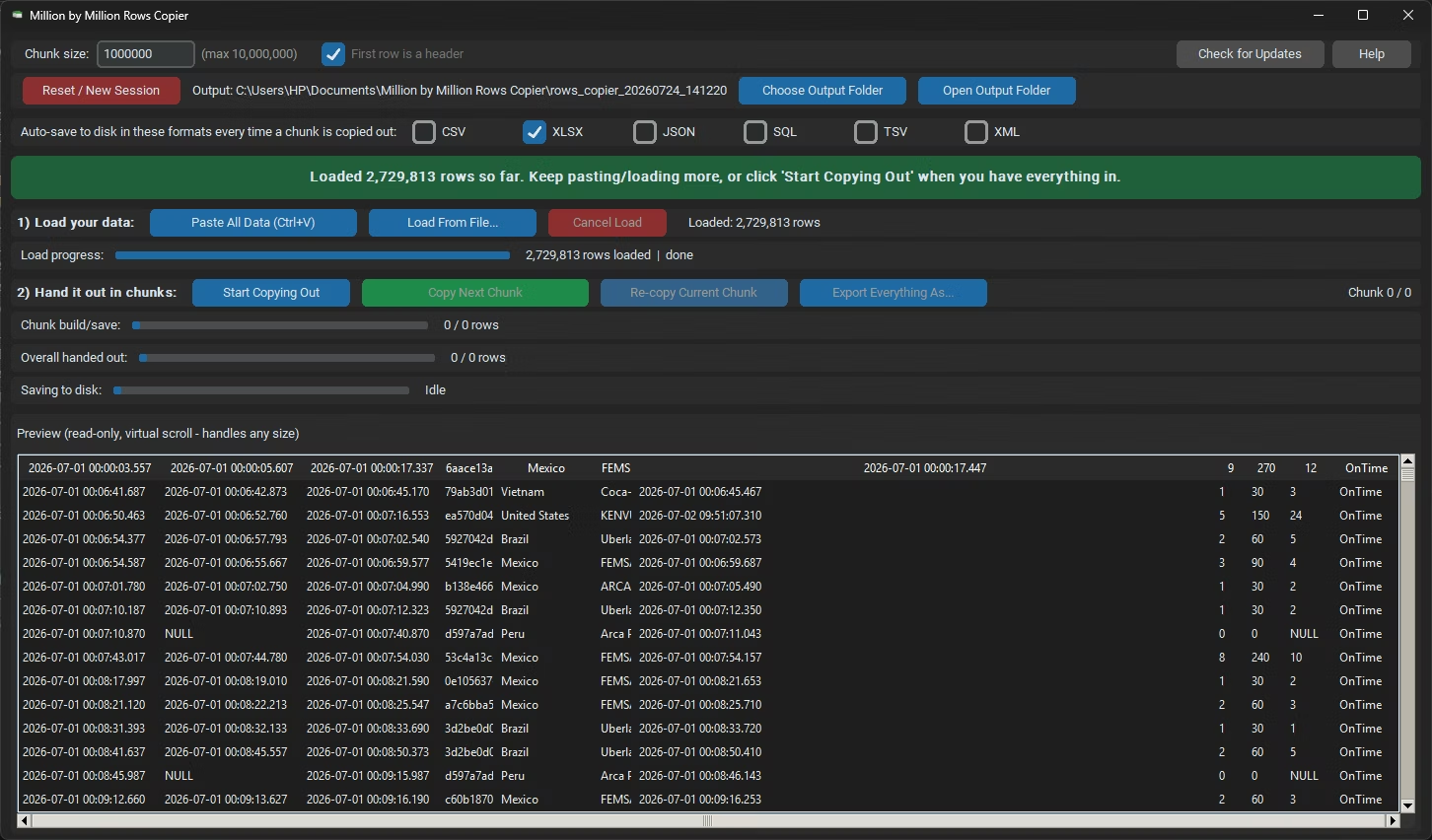
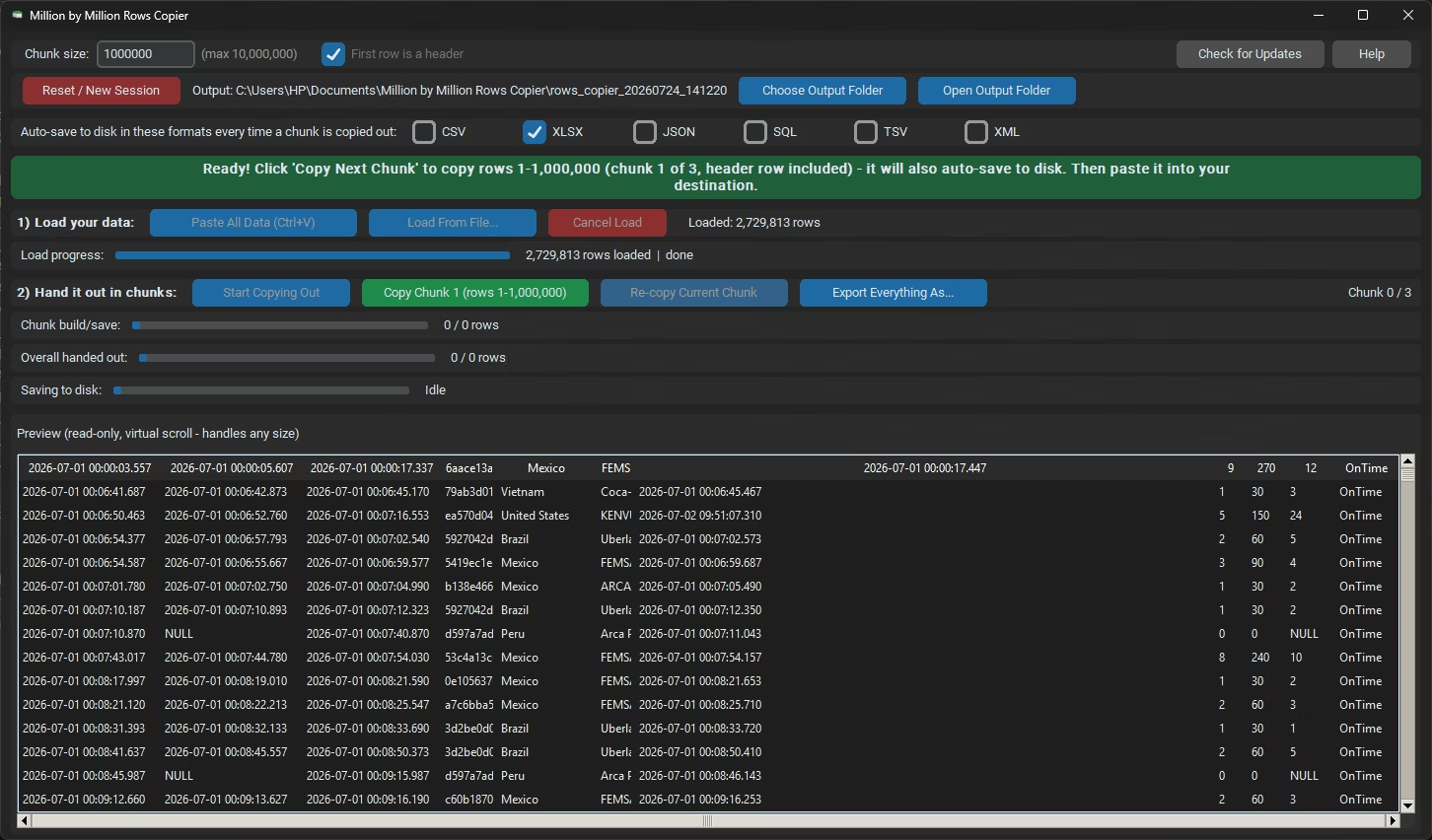
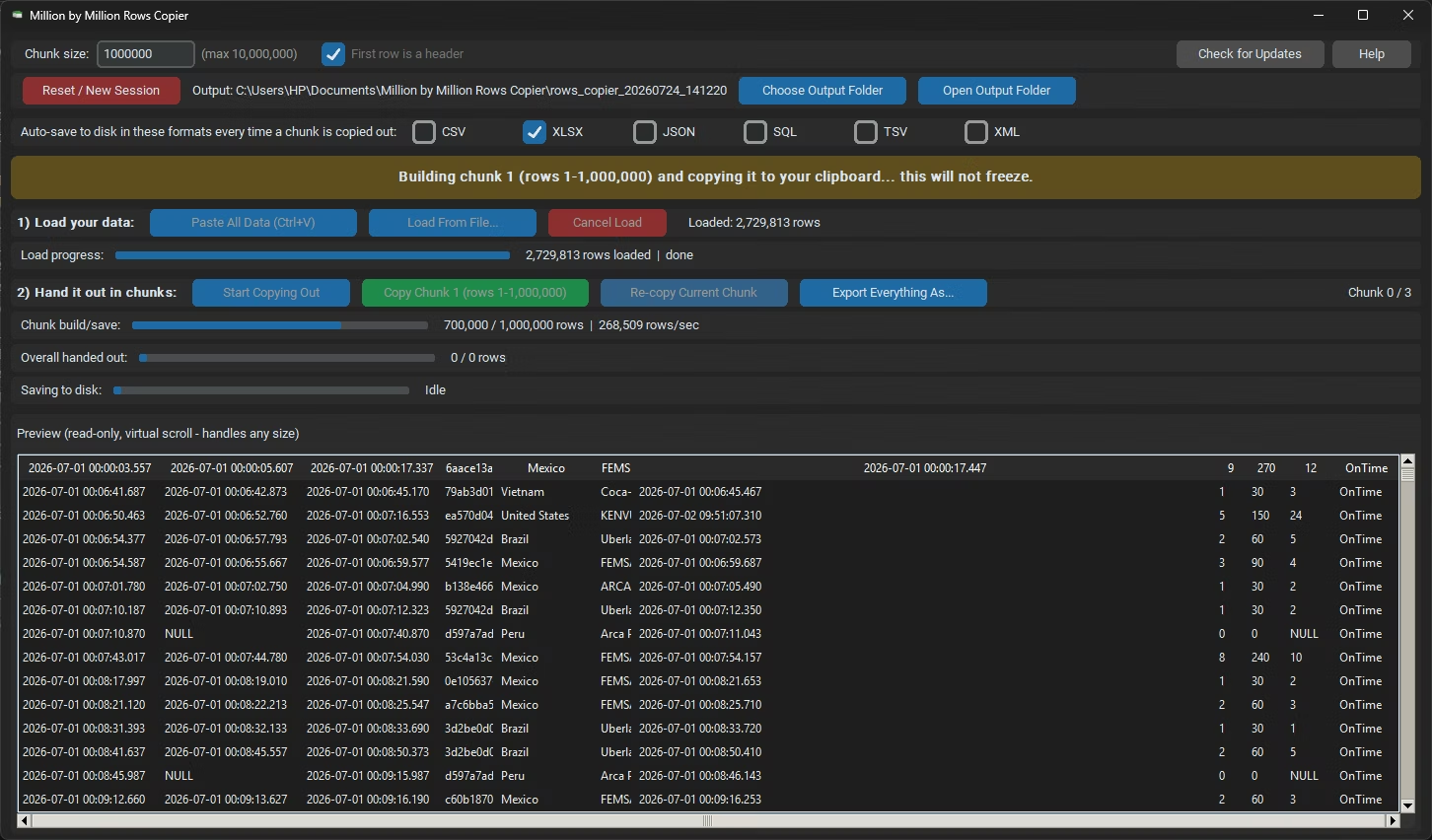
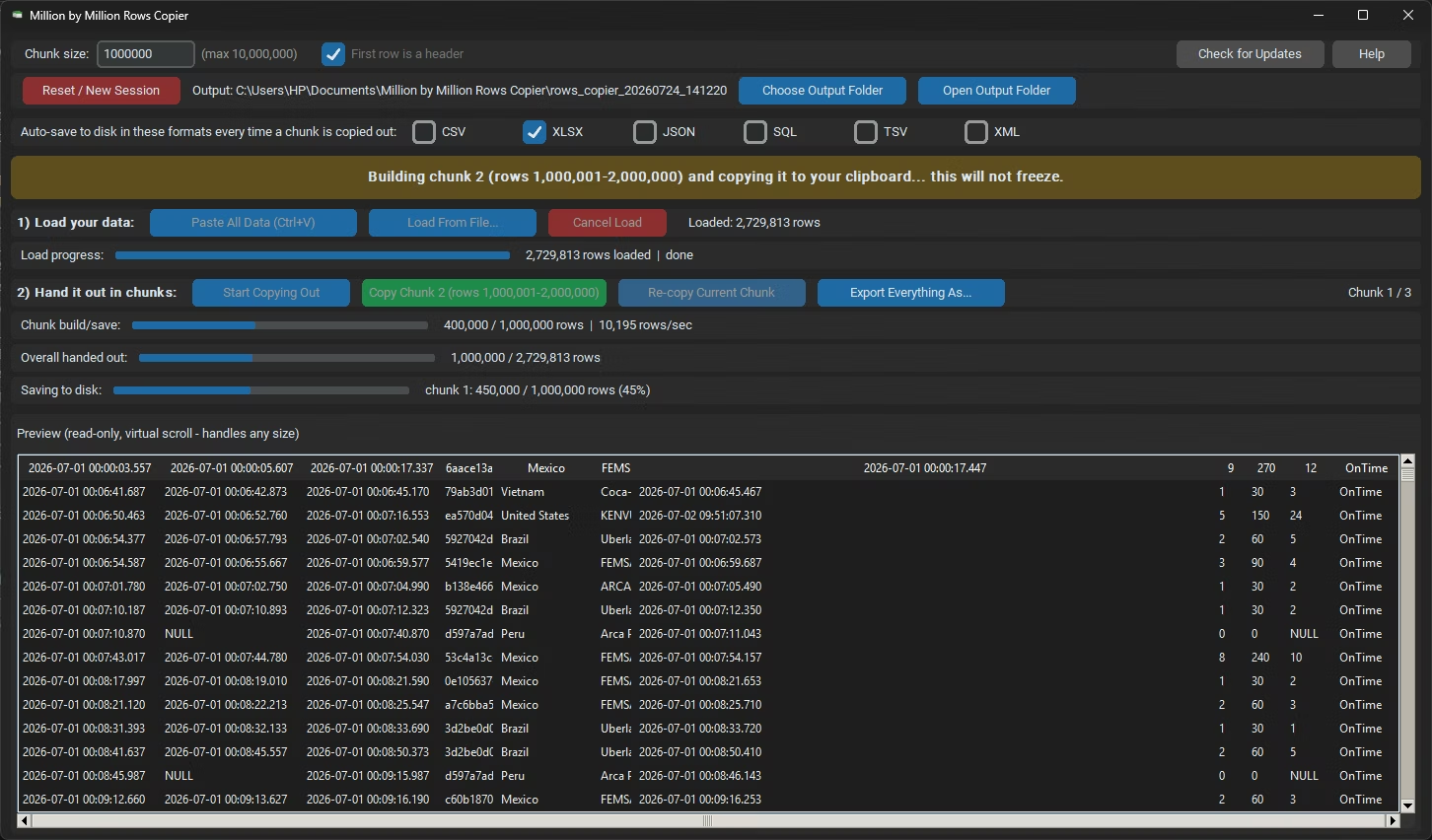
Million by Million Rows Copier is a windows desktop application which loads millions of rows into a high-performance local database, then copies and exports them in configurable million-row chunks for easy pasting into Excel, database tools, or other applications. With virtual rendering, background processing, and support for numerous file formats, it delivers smooth, reliable performance even with extremely large datasets.
Move Millions of Rows Through the Clipboard Without Freezing
Million by Million Rows Copier is a lightweight Windows desktop app for moving very large datasets, up to 50,000,000 rows, through the clipboard in safe, evenly sized chunks. Instead of pasting an enormous table in one go and watching Excel freeze or crash, you load everything once, then hand out the data a million rows at a time, with each chunk copied to your clipboard and saved to disk automatically. Everything runs locally on your PC, backed by an on-disk database rather than memory.
A single Excel worksheet holds about 1,048,576 rows, and long before that ceiling, pasting hundreds of thousands of rows at once can lock up the application. Database exports, analytics dumps and system extracts routinely contain far more. This app bridges the gap by breaking a dataset that is too big to paste in one shot into clipboard-sized pieces that any destination can accept, one after another.
What it solves
- Excel freezing or crashing when you paste hundreds of thousands or millions of rows, and datasets beyond the roughly 1,048,576-row limit of the XLSX format.
- Moving large tables between tools that only exchange data through copy and paste.
- Extracting tabular data from documents such as Word tables, HTML tables, JSON and XML, not just spreadsheets.
- Saving a huge dataset to disk in clean, split, format-correct files without a script, offline, on data that cannot be uploaded.
How to Copy 1 Million Rows (or More) and Paste Them
- Load everything. Paste with Ctrl+V or load a file. The data goes into a local SQLite file on disk, never one giant in-memory list, so the app stays light at any size.
- Click Start Copying Out. This locks the loaded dataset so chunk numbering stays consistent from the first chunk to the last.
- The first chunk is built. The first 1,000,000 rows, header included, go on your clipboard and are saved to disk in your chosen formats.
- Paste it into Excel, another database tool or any destination that accepts pasted data.
- Click Copy Next Chunk. Rows 1,000,001–2,000,000 land on the clipboard and are saved too. Re-copy Current Chunk is always available if something overwrites the clipboard first.
- Repeat until every row has been handed out, however large the dataset.
Supported Formats
Most of the 33 input formats are documents rather than spreadsheets, so loading one pulls out whatever looks like tabular data: an Excel sheet, a Word table, an HTML table or plain delimited text.
- Spreadsheets (XLSX, XLS, XLSM, XLTX, XLTM, XLSB, XLT, ODS) load directly with all rows and columns, using a much faster engine for the Excel family when available. DBF tables load as the real tables they are.
- CSV and TXT load as delimited text, or one row per line when there is no delimiter, with auto-detection of UTF-16 "Unicode Text" as well as UTF-8. JSON loads from an array of objects or lists; XML becomes one row per top-level child element.
- HTML, MHT, DOCX, ODT and Markdown use the first table found, otherwise one row per block of text or paragraph. RTF is converted to text, PRN is parsed as fixed-width text, and DIF is the classic Data Interchange Format.
- If an extension is misleading, the app checks the file’s real content and loads it correctly anyway.
Key Features
1,000,000-Row Chunked Copying
Data is handed out in clean, Excel-safe chunks of 1,000,000 rows, adjustable from 1 to 10,000,000. Each chunk is copied to the clipboard with its header row included, ready to paste immediately.
Up to 50 Million Rows
A 50-million-row dataset becomes fifty manageable paste operations, with nothing ever held entirely in memory.
Re-copy Current Chunk
Puts the same chunk back on the clipboard without rebuilding or advancing, which is useful the moment something else overwrites it.
Auto-Save Every Chunk
Each chunk is written to disk the moment it is copied, in any combination of CSV, XLSX, JSON, SQL, TSV or XML, so a crash or accidental close never loses more than the chunk in progress.
Header Row Detection
"First row is a header" applies wherever the source genuinely has one, including CSV, TXT, the Excel family, ODS, DBF, PRN and DIF, and every copied chunk repeats that header.
Cancel Load, Keep What’s Loaded
Cancelling a load part-way keeps every row already read and stops before adding more, so a long paste or file load is never all-or-nothing.
Live Progress
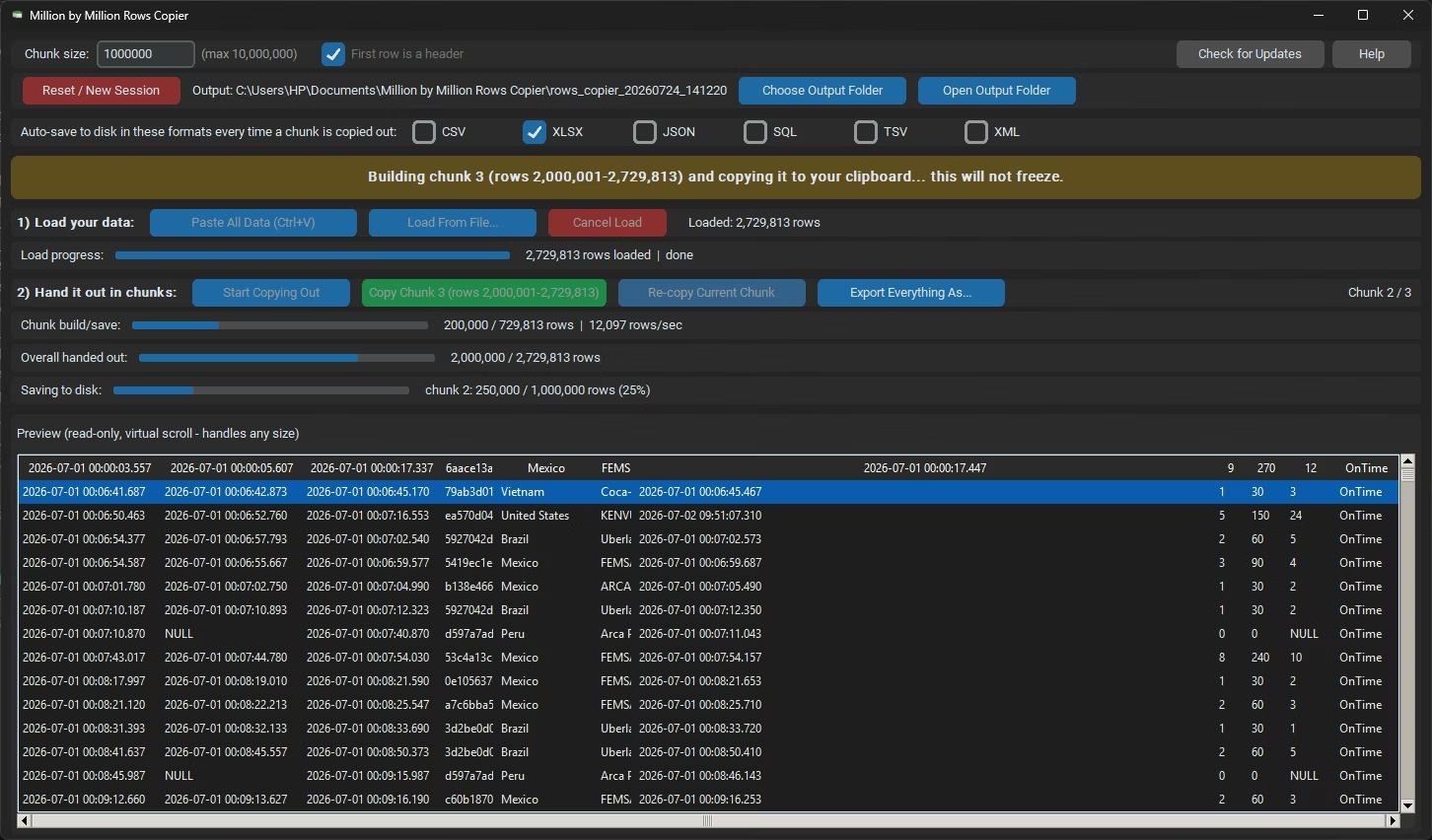
Rows per second, percentage complete and an overall "handed out so far" bar show exactly where a multi-million-row job stands.
Session Manifest and Summary
Once every chunk has been copied, the app writes a manifest.json and a summary.txt listing every file produced during the session, as an audit trail.
The Interface: Every Button Explained
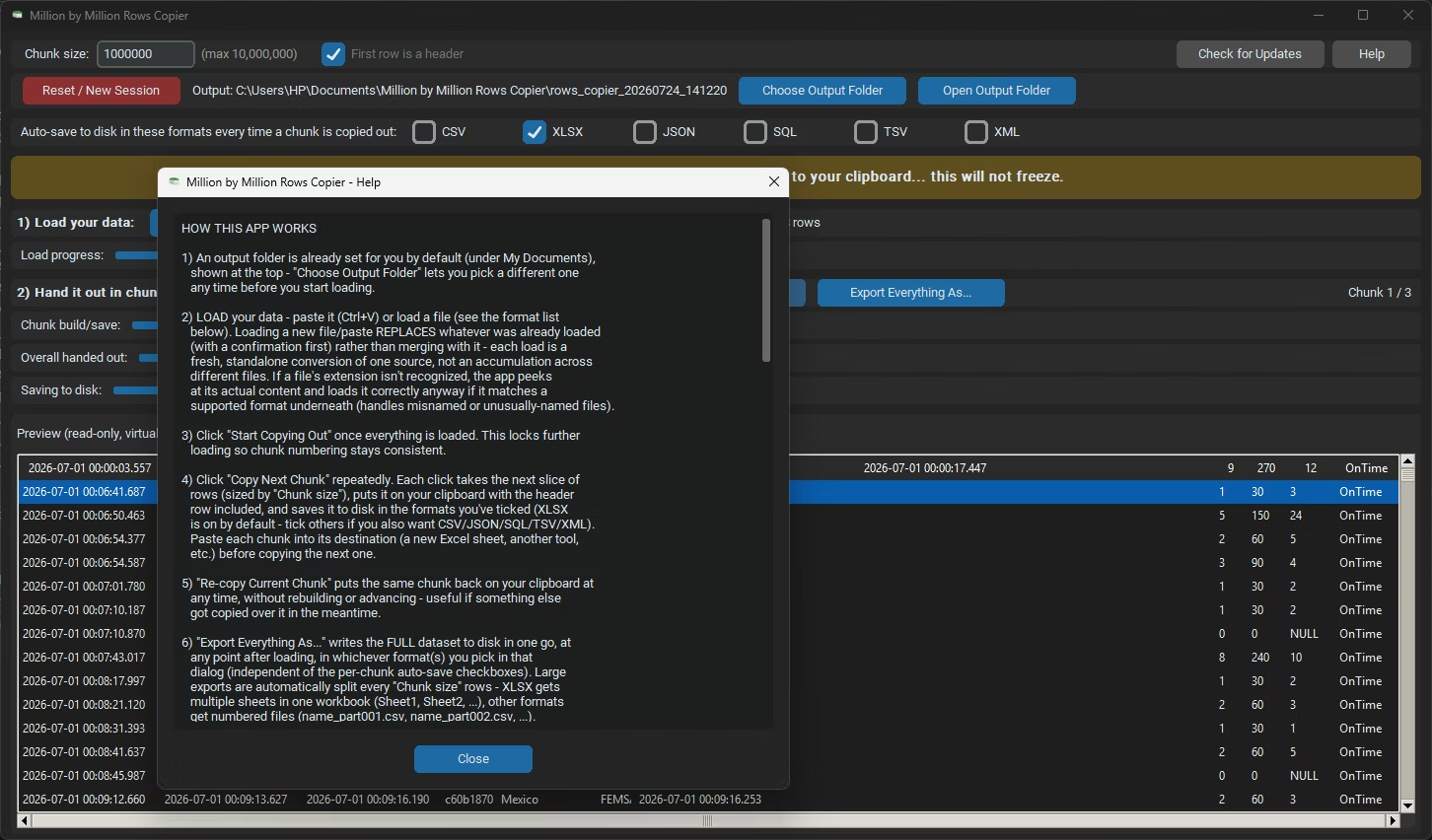
- Choose / Open Output Folder. Pick where saved files go (a default under My Documents is set for you) and open it in File Explorer.
- Paste All Data (Ctrl+V). Loads whatever is on your clipboard; you can paste several pieces and each appends until you start a fresh session.
- Load From File. Loads one file in any supported format, and Cancel Load stops a load in progress while keeping the rows already read.
- Start Copying Out, Copy Next Chunk and Re-copy Current Chunk. Lock the dataset, then step through it one chunk at a time.
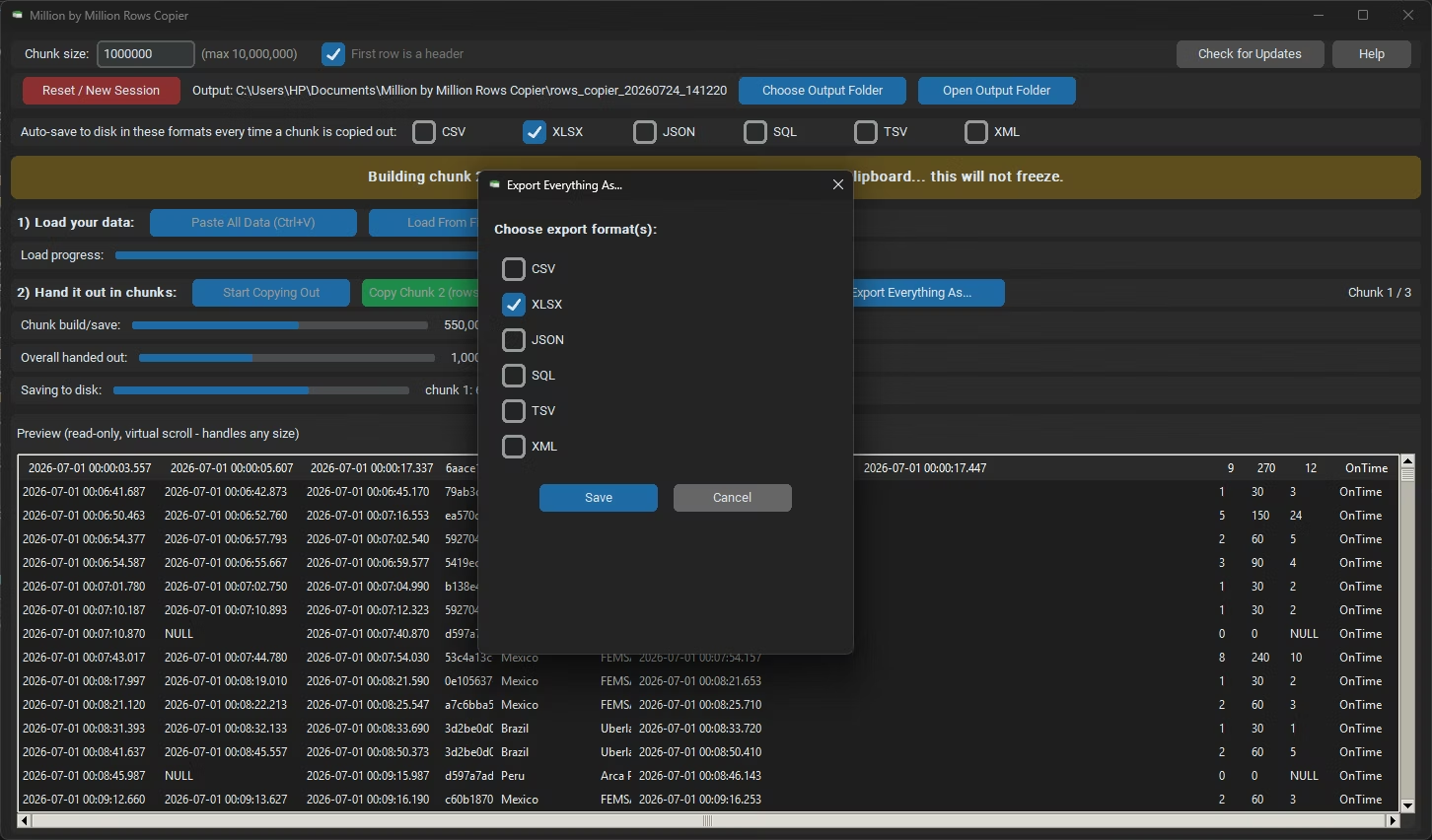
- Export Everything As. Writes the full dataset to disk in one go, in whichever formats you pick in its own dialog, independent of the per-chunk auto-save checkboxes.
- Reset / New Session clears what is loaded (saved files are untouched), Check for Updates opens the update page, and Help opens built-in documentation.
Exporting the whole dataset
Large exports are split every "Chunk size" rows so no file exceeds a format’s practical limits. XLSX output becomes multiple sheets (Sheet1, Sheet2 and so on) in one workbook; CSV, JSON, SQL, TSV and XML are written as numbered files such as name_part001.csv and name_part002.csv, so the sequence is obvious and easy to reassemble.
Why It Does Not Lag or Freeze at 50 Million Rows
- Rows live on disk, not in memory. Everything sits in a local SQLite database in WAL mode, so writing the next chunk to disk and reading rows for the clipboard can happen at the same time.
- A virtual preview grid. The on-screen grid only ever creates around 60 row widgets, whether the table holds 1,000 or 50,000,000 rows; scrolling just re-queries SQLite for the rows in view.
- Background threads for every slow task. Parsing, inserting, building chunks and exporting run off the interface thread, and each worker has its own database connection, so the window never freezes.
- Rowid seeking, not offsets. Later chunks are fetched with a direct rowid seek instead of a slow scan, so copying rows 40,000,001–41,000,000 is as fast as rows 1–1,000,000.
- Batched loading and assembly. Rows are inserted in transactions of several thousand at a time, and clipboard text is assembled in large batches to keep memory steady.
Compared to Pasting Directly Into Excel
| Task | Pasting directly / manual | Million by Million Rows Copier |
|---|---|---|
| Paste 5 million rows | Excel freezes, crashes or rejects the paste | Hand it out in one-million-row chunks that paste cleanly |
| Hold the dataset | Everything sits in memory and bogs the app down | Rows live in an on-disk database; memory stays flat |
| Deep chunks | Later slices get progressively slower | Rowid seeking keeps every chunk equally fast |
| Save while transferring | Manual Save As after each paste | Each chunk auto-saves the moment it is copied |
| Non-spreadsheet sources | Copy tables out of documents by hand | Loads 33 formats and extracts the tabular data for you |
| Keep data private | Web tools require uploading the file | 100% offline; nothing leaves your computer |
Scope and Limitations
- Built for moving and exporting data, not editing it: the preview grid is read-only and virtually scrolled.
- Supports up to 50,000,000 rows, with chunk size from 1 to 10,000,000 rows.
- Loading a new file replaces the current dataset after a confirmation rather than merging.
- Legacy .doc and .dot files are read through Microsoft Word’s automation, so Word must be installed; otherwise re-save as .docx. WPS Office formats (.et, .ett, .wps, .wpt) are best-effort, with a prompt to re-save if they cannot be read.
- Document formats have no "first row is a header" concept, so that option affects only true row-and-column formats.
Offline and Private
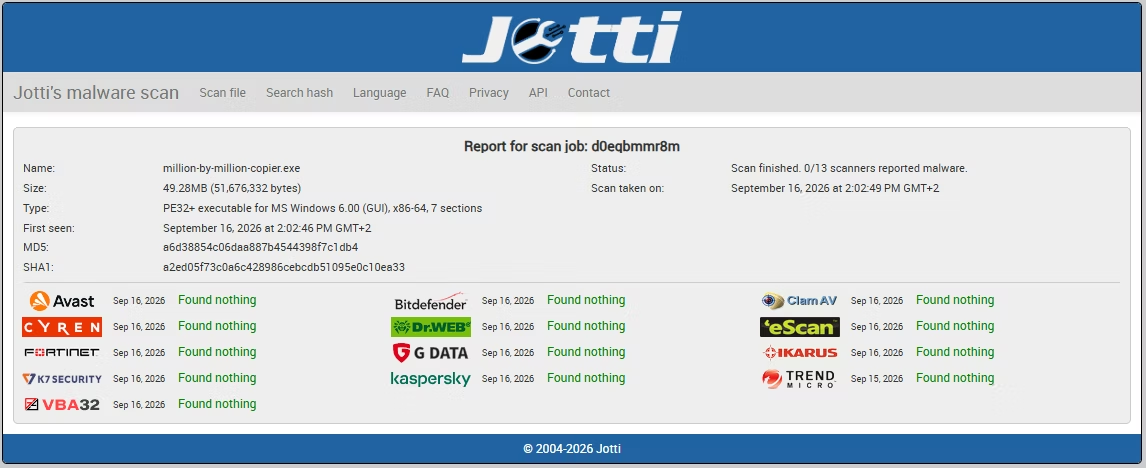
Every row you load, copy or export is processed entirely on your own computer. No data is uploaded, scanned remotely or shared with third parties, and the app does not log, analyze, track or store the contents of your data. There is no telemetry, no advertising tracker and no third-party analytics. Internet is used only for license validation, and that request contains no data content. Well suited to confidential exports from SQL databases, HR systems and financial spreadsheets.
System Requirements and Licensing
| Requirement | Minimum | Recommended |
|---|---|---|
| Operating system | Windows 8 (64-bit) | Windows 10 or later (64-bit) |
| Processor | 1–2 CPU cores | 4 or more CPU cores |
| Memory | 2 GB RAM | 8 GB RAM or more for datasets above 10 million rows |
| Storage | 500 MB free, plus room for exported chunks | 2 GB or more, plus space for every exported chunk; SSD recommended |
Purchase through Gumroad, install on Windows and activate once with your purchase email and license key. The license is cached locally, so the app keeps working offline afterwards.